Commission
Know what you made. And what is on the way.
Paid this year$96,552
Firm $8,465
Pending $32,594
Set aside $4,827.58 for GST. HST and QST by province.


Your clients, deals, listings, texts and commission in one app that reads the contract, fills in the dates and tells you who to call next.
14 days free · $99 a month after · Cancel any time
Works with the tools you already use
 Gmail
 Outlook
 Google Calendar
 Google Drive
 Dropbox
 Claude
 ChatGPT
 Zapier
 Twilio
 LinkedIn
 Google Ads
 Gemini
 Grok
 YouTube
 Vimeo
You upload the accepted offer. Keyvera reads it, fills in subjects, deposit, completion and possession, books every task, reminds you the morning they are due and keeps your clients in the loop. You just sell.
Website forms, Zapier, Google Ads and open house sign-ins all become contacts, with what they want and when to call next.
Connect your Twilio account and get a local texting number. Every text and reply sits on the client's timeline, next to their emails and notes.
Visitors scan the sign and sign in on their own phone. They get the listing, you get the lead and a call task for the next morning.
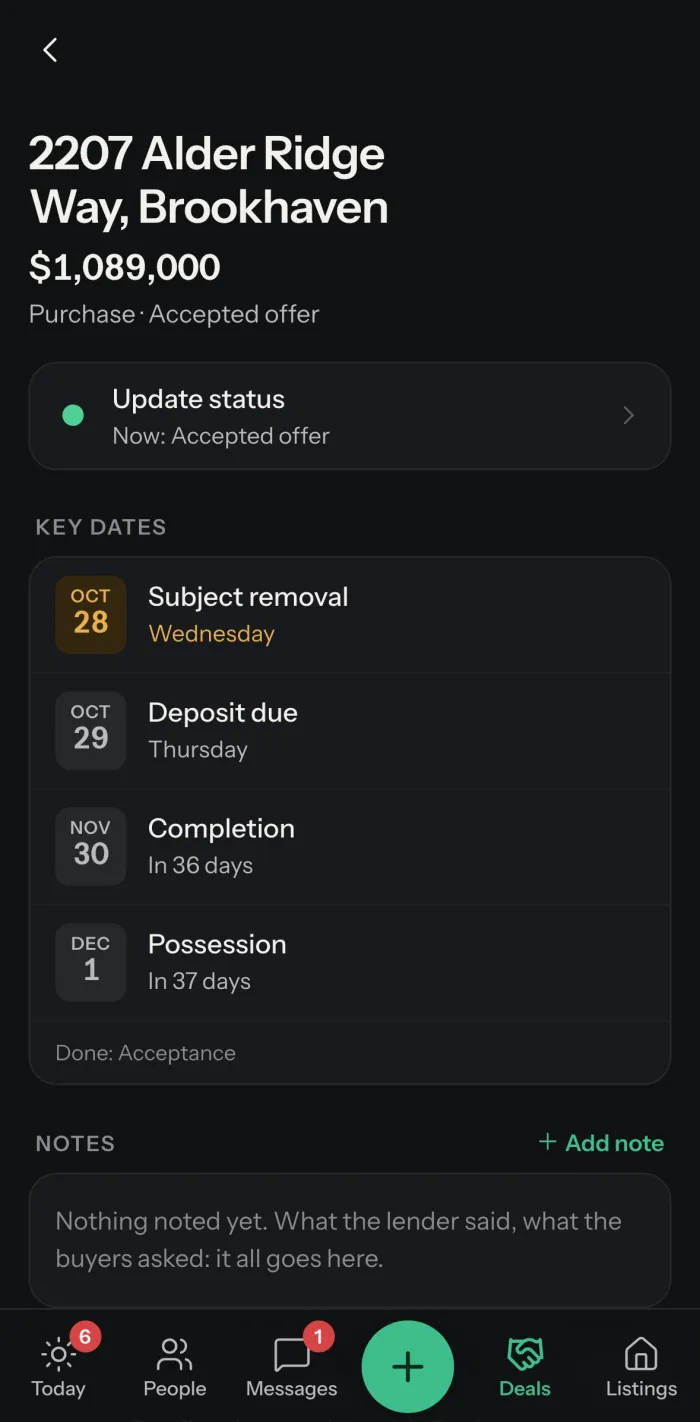
Upload the accepted offer. Subject removal, deposit, completion and possession land on your calendar with every task in order.
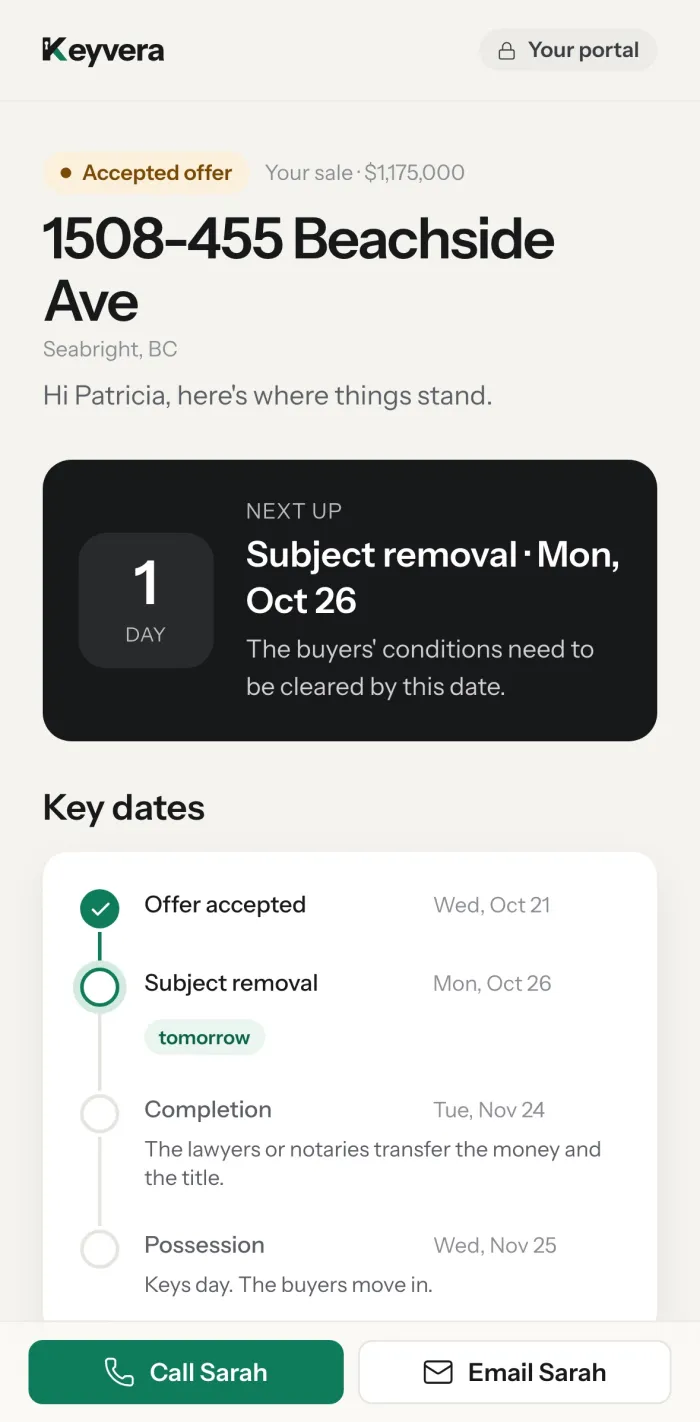
A private portal shows your buyers and sellers what is next and every key date, updated the moment anything changes.
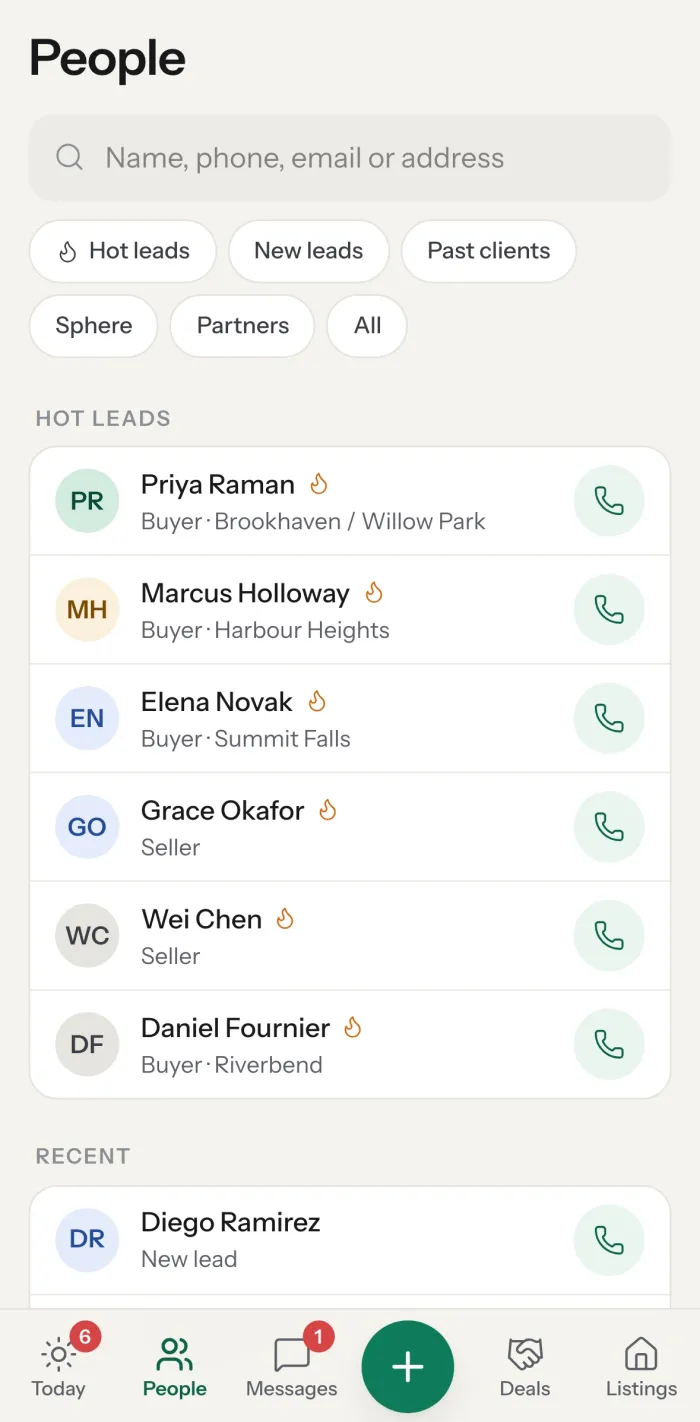
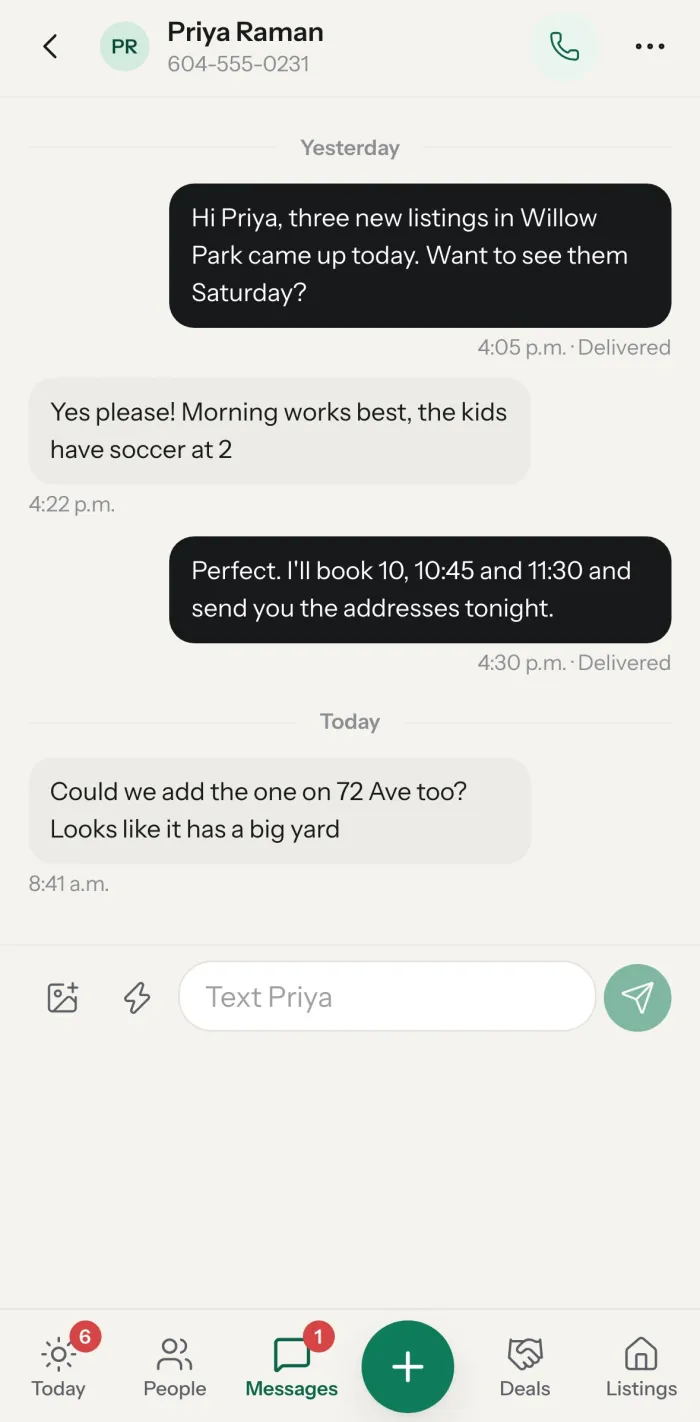
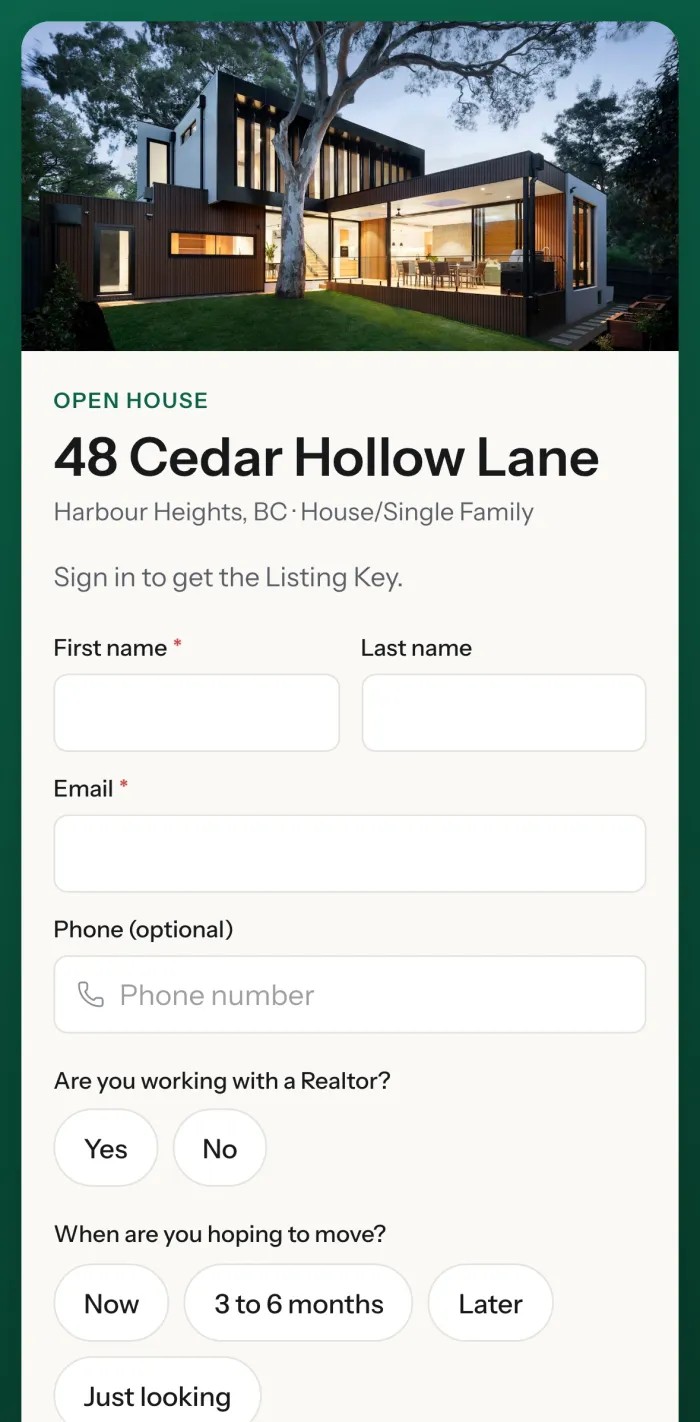
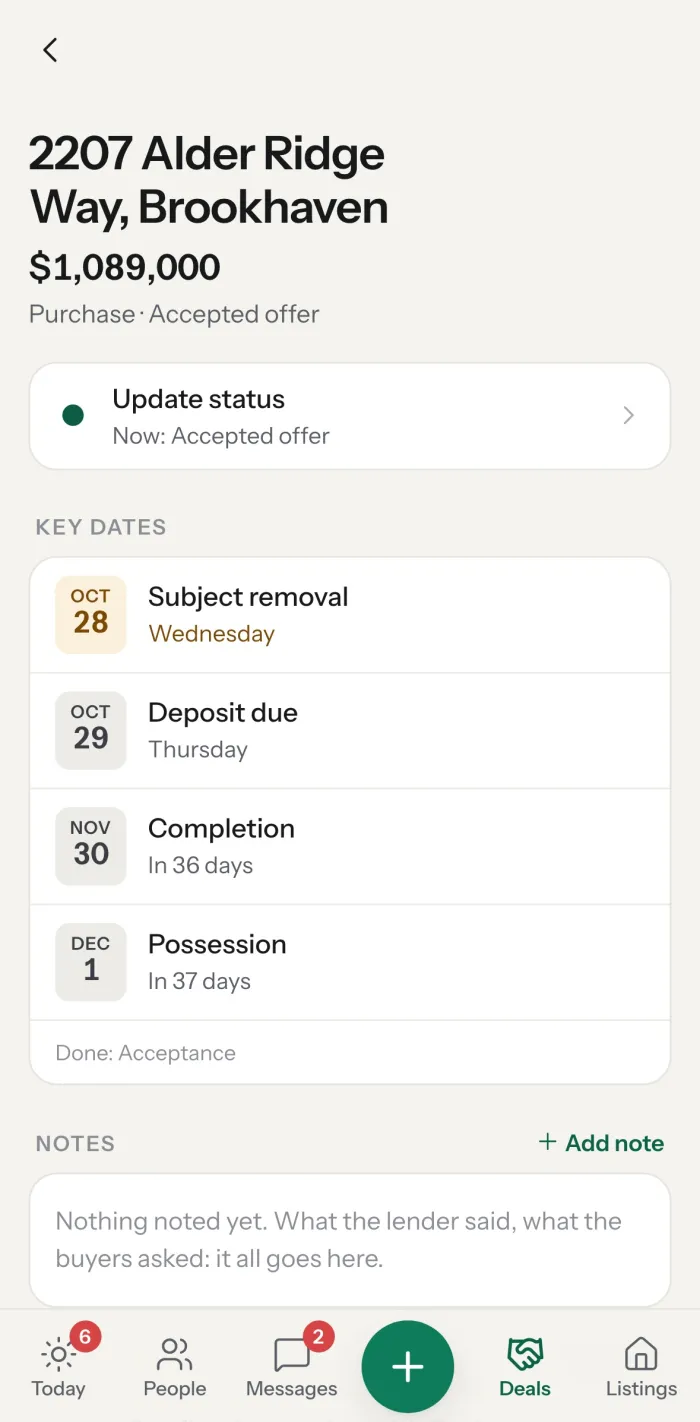
CRM, texting, open houses, client portal, social posts, commission tracking and email campaigns, all sharing the same clients and deals.
Print a sign in five designs, or hand over a phone or iPad. Every visitor is a contact with a call task waiting.
 sarahmitchellhomes
 Mountain views, a chef's kitchen and a south-facing yard on a quiet cul-de-sac in Harbour Heights.
Your clients get a private page with what is next and every date, with your face and number on it.
Photos, video, documents and details on a page buyers and agents can open anywhere. Agents see showing notes, buyers see the brochure.

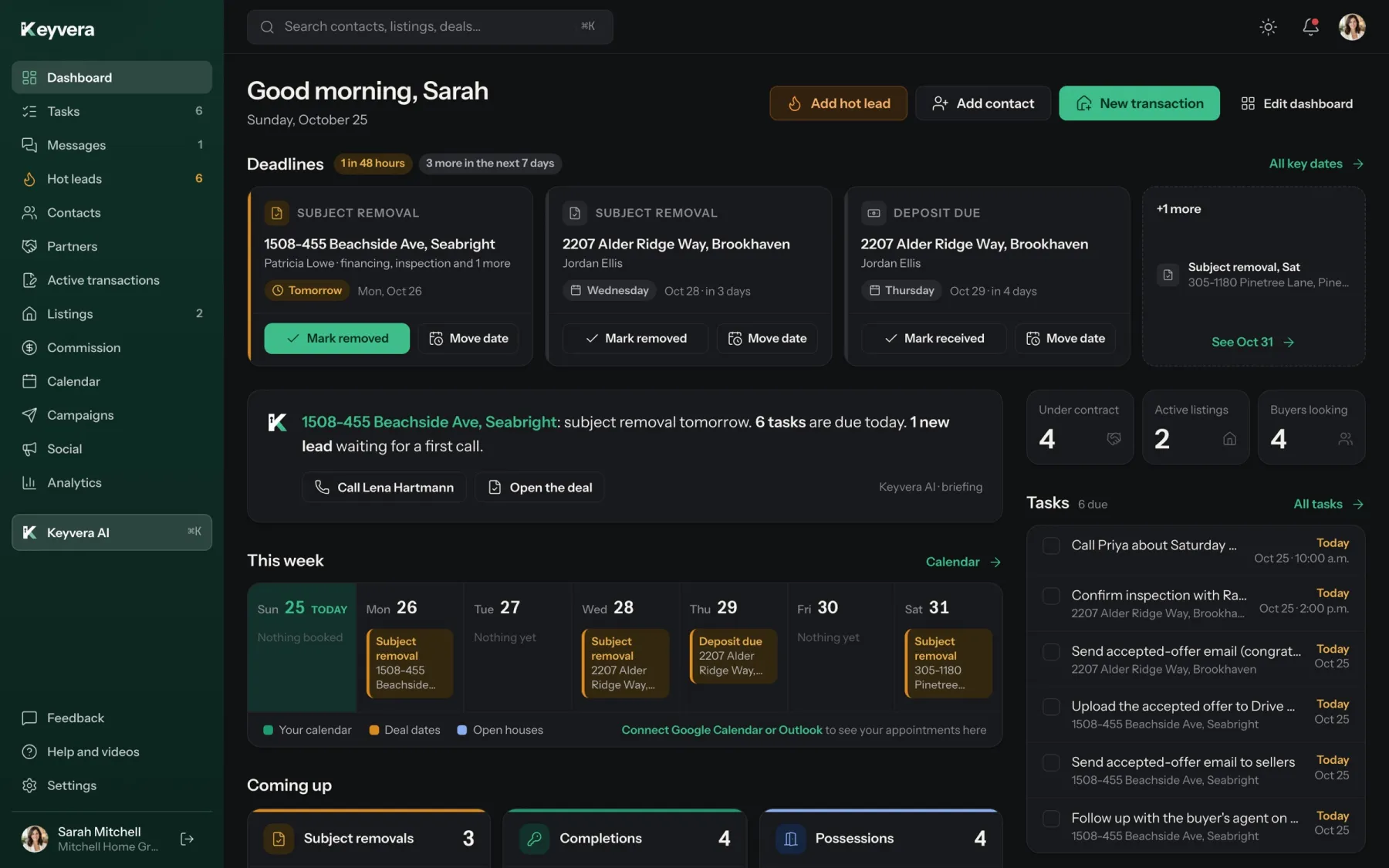
Good morning, Sarah.
Google or Outlook. Deadlines add themselves.
BC checklists for every stage, for you and your assistant.
Newsletters in your colours, with CASL consent built in.
Google Drive or Dropbox, filed and named for you.
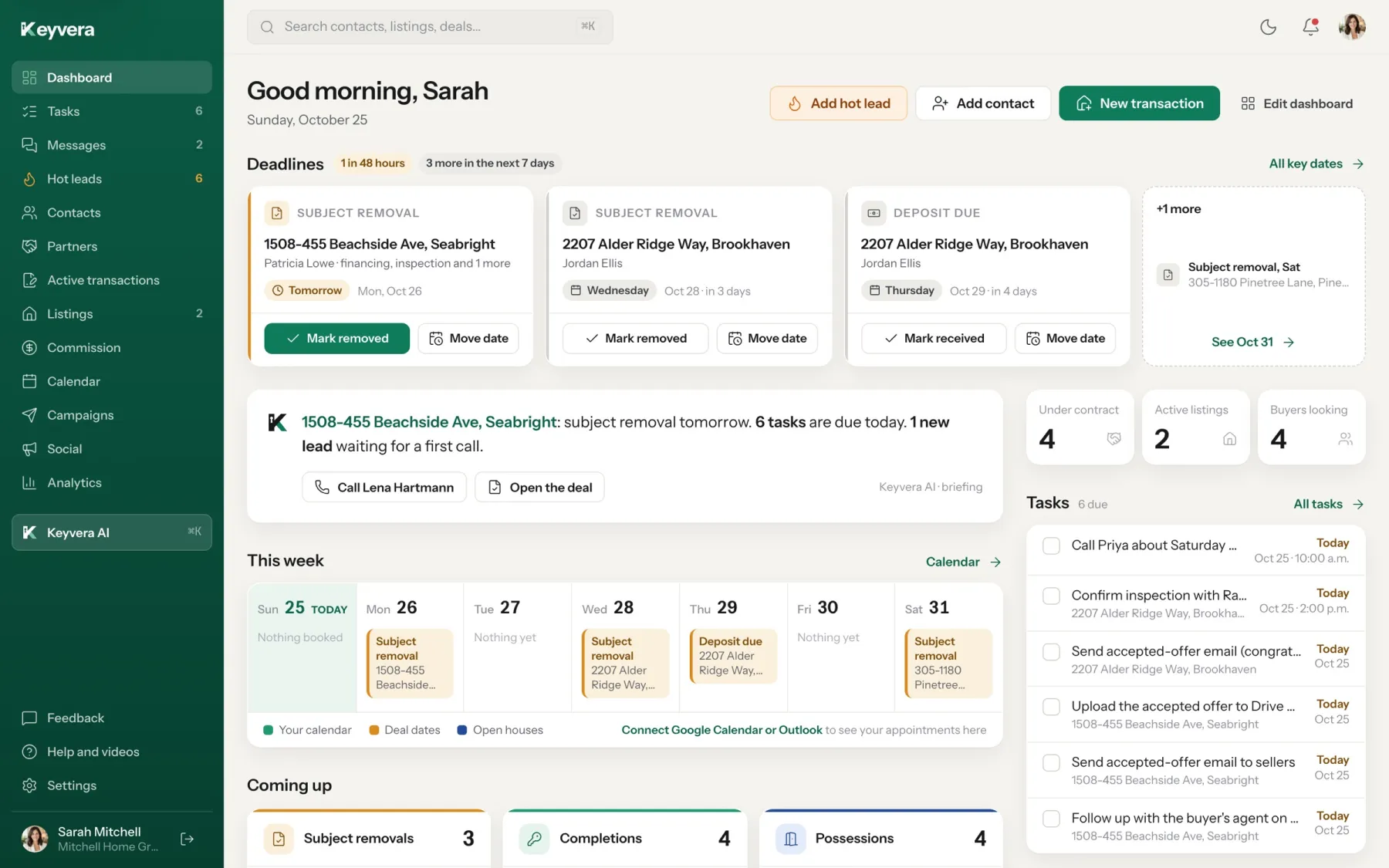
Deadlines, today's tasks and a briefing that tells you what matters first.
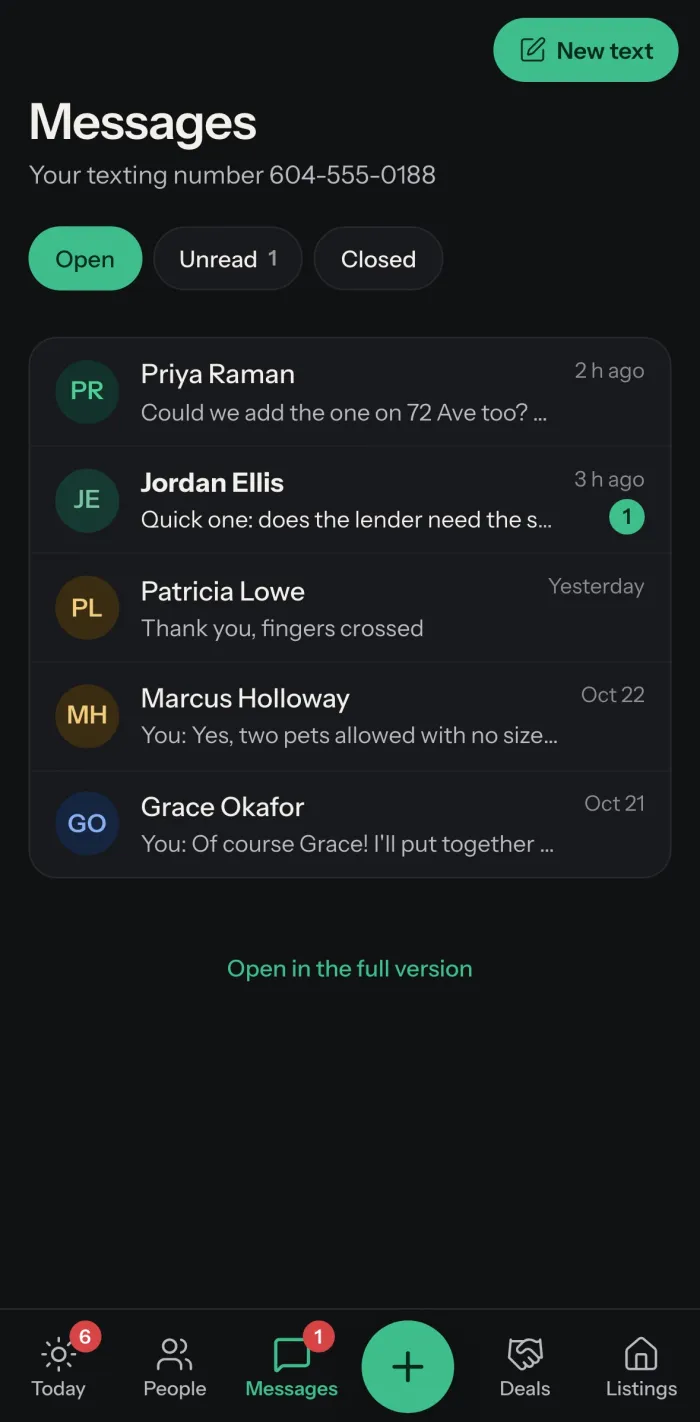
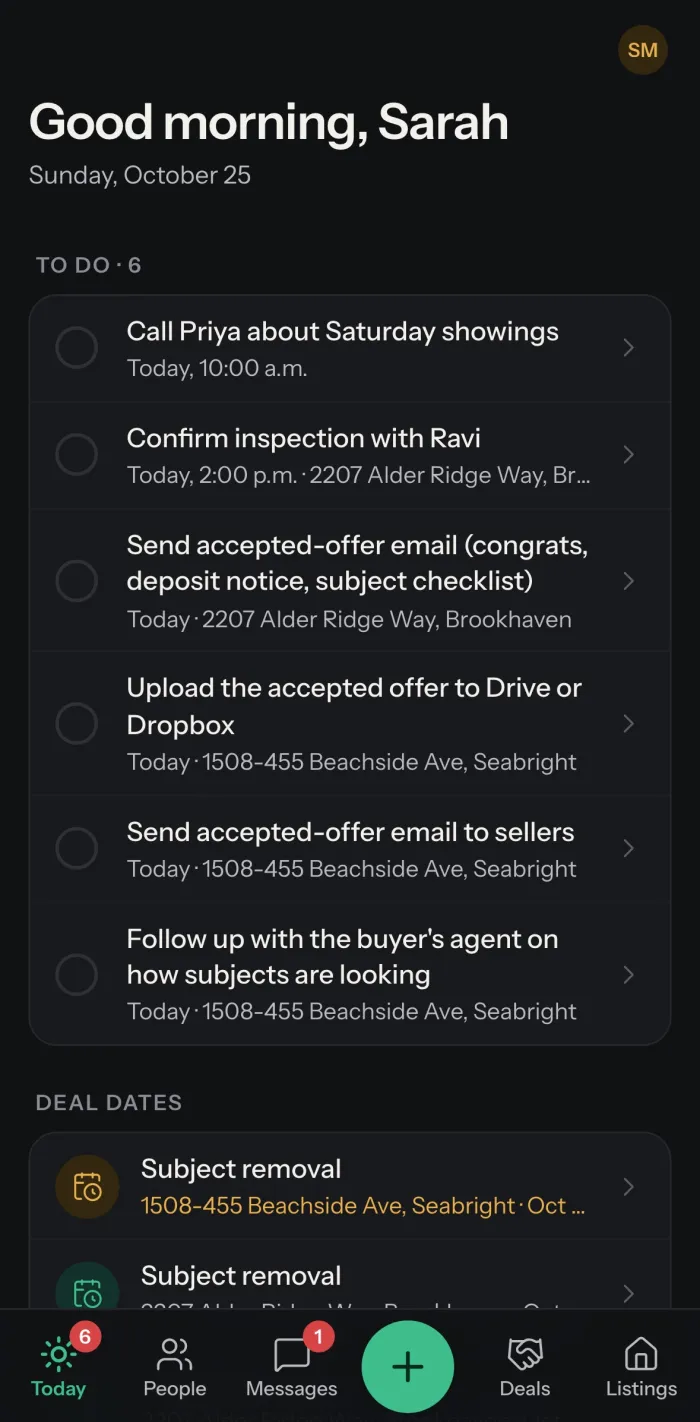
Today's tasks, your people, your deals and your texts, made for the car between showings.
Connect Keyvera to Claude, ChatGPT or Grok and work your business by chat or voice. Who to call, what is due, what a client said last week.
ClaudeChatGPTGrokEach one connects in about a minute from Settings.
Not "closing" and "escrow". Your deal stages, your words.
Commission shows what to set aside for your province.
Who you can email and text, recorded on every contact.
Priced, billed and supported from Canada.
Every feature, every integration, the phone app and support from real people.
Join during our launch and $99 stays your price for as long as you stay with Keyvera.
Your assistant works the same deals and tasks under your account.
Switching from another CRM? Import your contacts from a spreadsheet in a minute, or send us your export and we'll help move it over.
Today. Create your account, add a card to start your 14-day free trial, and nothing is charged until the trial ends.
Keyvera works anywhere in Canada except Quebec. Deal dates and checklists are built for BC so far, with more provinces planned.
$99 a month per agent and $20 per assistant, in Canadian dollars, plus tax. Every plan starts with a 14-day free trial; you add a card to begin, and nothing is charged until the trial ends. That covers the CRM, deals, listings, email campaigns, automations, social posts, the client portal and the texting inbox. Texts themselves bill to your own Twilio account. Agents who join during our launch keep $99 a month for as long as they stay.
Yes, in Settings. You're billed monthly and keep access until the end of the month you've paid for. We don't refund partial months. Cancel during your free trial and you won't be charged at all.
Yes. Add agents and assistants to one workspace. You choose whether agents share clients or each keep their own, and whether they can change each other's clients and deals.
Yes. Upload a spreadsheet or your old CRM's export. Columns match themselves, duplicates are caught and you can undo the import for 24 hours. If you'd like a hand, email your export to support@keyvera.ca and we'll help move it over.
Gmail or Outlook, Google Calendar or Outlook Calendar, Google Drive or Dropbox. Emails go out from your own address, and key dates land on your calendar.
No. Keep using the signing tool you have now. Upload the accepted contract to Keyvera and the deal builds itself, with its dates, tasks and calendar events.
Yes. Keyvera records each contact's consent and checks it again before every campaign email, along with any unsubscribes. Contacts without consent are left out of the send. Following CASL is still your responsibility.
Connect your own Twilio account (or your team's) and pick a local number. Texts, photos and replies show up in your Messages inbox and on the client's timeline. Twilio bills you directly: about US$1.15 a month for the number and about a cent per text in Canada.
Yes. When you close out a deal, Keyvera offers to start a buyer or seller follow-up: congratulations, a Google review request, a check-in and a note every home anniversary. You choose the clients, preview every email, and can stop it any time.
Claude, ChatGPT and Grok, plus Gemini where Google allows custom connectors. Connect the one you already use, then ask it to add a client, log a note or tell you what's due. Keyvera also has its own built-in assistant.
Yes. There is a phone version with your day, people, deals and texts, plus the full app in any browser.
Your clients are yours. We never sell your data or use it to train AI, and you can get a copy of everything at any time.
Keyvera's app and database run in the United States. Deal documents are kept in your own Google Drive or Dropbox. Our privacy policy lists the companies we use and where each one operates.
You can still get a copy for 60 days after your account closes. After that we delete it within 30 days, apart from records the law requires us to keep.

14 days free · No setup fees · Cancel any time